
Your electricity meter number serves as your meter identifier and can be used for different purposes; hence, it is important for you to know how to check your electricity meter number online. Although in our previous post we discussed extensively different methods that you can use to check your electricity meter number, in this guide, we are going to narrow our discussion to how to check it online.
The method that can be used to check the electricity meter number online may vary slightly since different electricity providers have their own official websites where customers can access various services, including checking the meter number online. Some electricity providers allow you to check your meter number online by visiting their official website, while others have a separate customer portal where you can do that. No matter the method involved, checking the electricity meter number online is difficult.
How to Check my Electricity Meter Number Online in Nigeria
The two most common methods that you can use to check your electricity meter number online are by using your electricity provider’s portal or an alternative customer portal made available by your electricity provider.
How to Check my Electricity Meter Number Online Via Provider’s Official Website
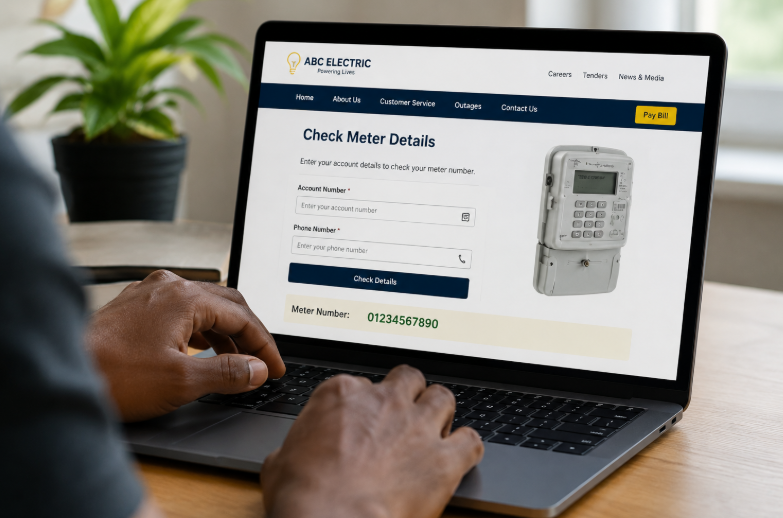
The first method on our list that you can use to check your electricity meter number online is by using your provider’s website. Most electricity providers have an online portal where you can check your meter and access other services. If you want to use this method, follow the simple steps below:
- Visit your electricity provider’s or DISCO’s website
- Log in using your account number
- Locate the account management or customer service section within the dashboard
- Look for the page containing your account information and you will be able to see your meter number there.
- You can then copy it and save it for subsequent use.
How to Check my Electricity Meter Number Online Via Customer Portal
Most electricity providers or DISCOs, like Eko DISCO, IKEDC, AEDC, etc., have separate customer portals where electricity consumers can check their meter number online and access other related metering services. Checking your meter number using this method is difficult. All you need to do is
- Go to your electricity provider’s dedicated customer portal
- Log in with your meter’s account number
- Look for “Meter Information”, “View Bills“, or “Account Details,” options once you log in
- Click on it and your meter number will display on the screen alongside other details.
Frequently Asked Questions
How do I check my electric meter number?
You can check your electric meter number by using a code, an online portal, or by contacting your electricity provider’s customer care and requesting it.
How do you know what your meter number is?
You know your meter number because it is always boldly written on the back of your light bills or on the surface of your meter. It is usually an 11-digit number.
How many digit is meter number
The meter number is usually 11 digits in number. You can find it on the back of your electricity bill, check it online, use a code, or request it from your electricity provider.