

To fully utilize all the features of your prepaid meter, it is important that you know your meter number; however, if you don’t know it, it makes sense for you to look for a write-up that will guide you on how to check your prepaid meter number, and that’s exactly what will show you in this article.
There are different methods that you can use to check your prepaid meter number, ranging from using a code, checking your bill, to contacting your electricity provider. These methods are effective and easy to use, too.
So, if you don’t know your meter number and don’t know how to get it, there is no need to bother yourself because you are in the right place, and we are going to put you through shortly.
Why you Should Know Your Prepaid Meter Number
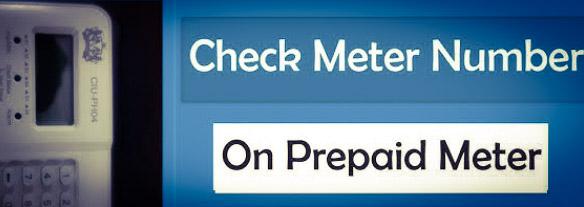
As a prepaid meter user, it is important that you know your meter number because you are going to use it for:
- Purchasing prepaid meter token
- Account setup and verification
- Contact your electricity provider’s customer support unit, etc.
How to Check your Prepaid Meter Number
There are different simple methods that you can use to check your prepaid meter number, such as codes, checking your light bill, contacting your electricity provider, checking your meter cover or casing, among others. We’ll be taking the methods one after the other.
1. How to Check Prepaid Meter Number Code
One of the easiest and simplest ways to check your prepaid meter number is by using a code. However, different prepaid meter brands have different codes that you can use to check its number. So, before you can check your meter number using a code, you will first of all know your meter brand to enable you to choose the appropriate code for it. The table below summarizes different meter brands and the corresponding codes that you can use for their numbers.
| S/N | Meter Brand | Meter Number Code |
| 1. | Mojec | 100 |
| 2. | Longi | 804 |
| 2. | Conlog | #4#, #100# |
| 3. | Memmcol | 65 |
| 4. | Hexing | 804 |
| 5. | Momas | 804 |
| 6. | Landis & GYR | i025 |
| 7. | Skyrun | 100 |
To use these codes to check your prepaid meter number, you will need to do this:
- Locate your meter keypad, UIU, or CIU and connect it to the power source.
- Choose the code that corresponds to your meter from the table above
- Input it into the CIU
- After putting, press the ‘’Enter’’ button and your meter number will display on your CIU screen.
2. How to Check Prepaid Meter Number Electricity Bill
The second method on our list that you can use to check your prepaid meter number is by checking your electricity bill. If you have any documentation concerning your prepaid meter or, better yet, if you’ve got your prepaid meter installation paper, you can go through it and you may be able to see your meter their. Go through it thoroughly so that you can see it.
If you recently had your meter installed, your prepaid meter number is often listed on the installation paperwork or your first electricity bill. This is the easiest method if you have access to these documents.
3. Check the Meter Casing
You can also see your meter number on your prepaid meter casing or cover. What happens is that most prepaid meters normally have the number printed directly on their casing. So, what you should do is look for a label on the front, side, or back of the meter. Often, the number is usually inscribed as a meter number or serial number. It is usually an 11- or 13-digit number.
4. Contact Your Electricity Provider
The last method on our list that you can use to check your prepaid meter number is reaching out to your electricity provider’s customer support unit and requesting your meter number. This method is essential, especially if the above methods didn’t work for you. Once you contact them, you may be required to provide your account details, address, or any identifying information that they can use to retrieve the meter number for you. Once they retrieve the number, they will send it across to you.
Example of Prepaid Meter Number
The common example of a prepaid meter number is 45037611311. This is what a meter number looks like. It is usually an 11- or 13-digit number. So, if you are not sure of your prepaid meter number, kindly count it. If the number you are contemplating is 11- or 13-digit, it may be your meter number.
How to Check MOJEC Meter Number
Checking the Mojec meter number is not difficult. All you need to do is:
- Go to your Mojec meter keypad and plug it into socket
- Press ‘’100’’ on it
- Tap on the ‘’Enter’’ tab and your meter number will pop up
How to Check PHCN Prepaid Meter Number
Although PHCN is no longer in existence in Nigeria because their role has been taken over by electricity distribution companies (DISCO), you can still check your meter number by using any methods that we discussed in this article, like using a code that aligns with your meter brand, checking the casing on the meter itself, contacting your electricity provider, etc.