
When using a prepaid meter, you may encounter some error codes, which may be due to some issues with the meter. Your prepaid meter can display error codes when it is malfunctioning. When your meter displays an error code, it is an indication that something is wrong with your prepaid meter; hence, it needs urgent attention to get it resolved.
There are different prepaid meter error codes and each code indicates the particular problem with the meter. Your prepaid meter can display these error codes when it has issues like an internal error, no voltage supply, communication problem with the WCIU, overload, among others.
If you are using a prepaid meter to manage your energy usage, it is important for you to know these error codes to enable you to identify them when they occur, thereby enabling you to smoothly and efficiently manage your energy usage.
- Read: Longi prepaid meter code
Prepaid Meter Error Codes
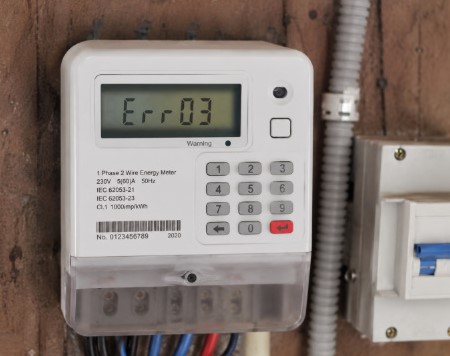
There are numerous error codes that mean different things that you may encounter when using your prepaid meter. These codes appear when the prepaid meter is having issues, malfunctioning, or other related problems. In the table below, we’ll list different prepaid meter error codes and their meaning. Kindly go through it.
| S/N | Prepaid meter error code | Meaning |
| 1. | E01 | Meter not initialized |
| 2. | E02 | Meter not calibrated |
| 3. | E03 | Internal meter error |
| 4. | E04 | No voltage supply |
| 5. | E07 | Communication error between the meter & the WCIU |
| 6. | E08 | Wireless user interface error |
| 7. | E09 | Mismatch between the meter and WCIU |
| 8. | E10 | Software error |
| 9. | E20 | Remote disconnection activated |
| 10. | Err-20 | Key card modifications exhausted |
| 11. | Err-21 | An existing meter account |
| 12. | Err-22 | No existing meter account |
| 13. | Err-23 | Damaged or unknown card |
| 14. | Err-18 | Card pulled out too fast |
| 15. | Err-19 | Table number modification card full |
| 16. | USED | Token already used |
| 17. | Loct-oUT | Token locked |
| 18. | OUEr_Por | Meter overload |
| 19. | ConnEct | CIU/keypad is busy connecting with the meter |
| 20. | NOT_Act | Meter not activated |
Conclusion
From our discussion so far, we have seen that understanding prepaid meter error codes is essential for managing your energy usage effectively and resolving potential issues quickly. These codes serve as helpful indicators of specific problems that may arise, from connectivity issues to internal errors. Once you know the meanings of these error codes, you can address minor issues yourself or know when to reach out for professional assistance.