
Conlog prepaid meter is one of the popular prepaid meter brands that is widely used in the country to monitor, track, and manage electricity usage. If you are using a Conlog prepaid meter to manage your energy usage, it makes sense for you to know its unique codes to enable you to operate it independently and manage your electricity efficiently.
There are different Conlog prepaid meter codes that are function-specific. Each of these codes is designed to perform a particular function once you input it into the meter. The code can only perform one function and not multiple functions. This simply means that the code for checking meter balance is entirely different from the one that you can use to reset the meter.
If you are using a Conlog prepaid meter but don’t know their codes, then this article will be of utmost help to you because we are going to discuss different Conlog prepaid meter codes, their functions, and how to use them in the subsequent sections of this write-up. Keep tabs as I walk you through.
- Related: Longi prepaid meter codes
Conlog Prepaid Meter Codes in Nigeria
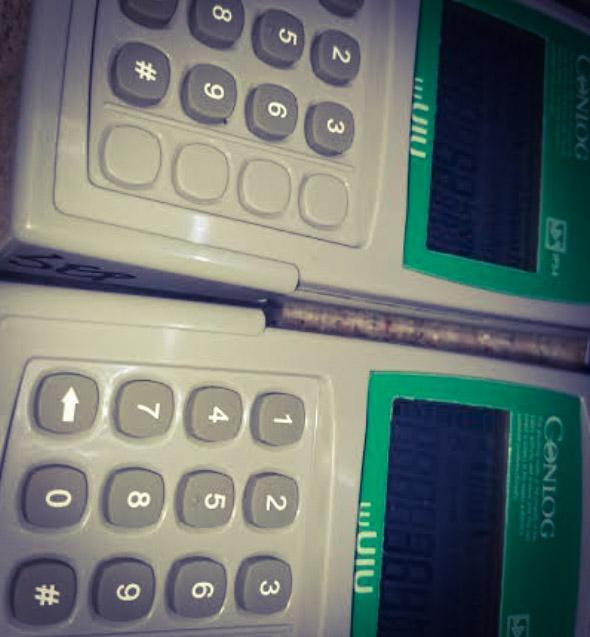
There are many Conlog prepaid meter codes that are used to perform different functions on the meter. Each encodes for a particular function and some of these codes are combinations of special characters, like # and numbers. Once you know them, it is going to help you to operate your meter with ease. The table below summarizes different Conlog prepaid meter codes and their unique functions attached.
| Conlog Prepaid Meter Codes | Function |
| #030# | Meter activeness |
| #73# | Trip condition of the meter |
| 009 | Available credit balance on the meter |
| #100# | For meter number |
| #075# | Meter reset |
| #43# | Meter activation |
| 006 | Tariff index |
| 077 | Total credit loaded |
| 150 | Daily energy consumption limit |
| 076 | Total energy consumed untill date |
| # | Average remaining consumption time on 24-hour basis |
| #074# | Remaining time for your credit to reach zero |
Conlog Prepaid Meter Error Codes
While the Conlog prepaid meter has a special code that you can use to operate it, they also have an error code too. This meter displays an error code on the screen whenever it malfunctions. So as you have known the main code, it is also good for you to know the Conlog prepaid meter error codes to enable you to know their meaning and how to get it fixed whenever your meter is having issues.
| Conlog Prepaid Meter Error Codes | Meaning | How to Fix it |
| E01 | Meter initialization problem | Reach out to Conlog |
| E02 | The meter is not calibrated | Reach out to Conlog |
| E03 | Internal meter error | Reach out to Conlog |
| E04 | There is no supply voltage present | Retry later |
| E05 | Kept for future use | Utilize it later |
| E05 | Kept for future use | Utilize it later |
| E07 | There is communication error between the meter and WCIU | Retry at a later time |
| E08 | There is wireless user interface error | Retry at a later time |
| E09 | The meter and WCIU are not compatible | Retry at a later time |
| E10 | Software error | Reach out to Conlog |
| E12 | There is communication protocol error between meter and WCIU | Retry at a later time |
| E20 | Remote disconnection activated | – |
How to Use Conlog Prepaid Meter Codes
In this section, I am going to show you how to use the Conlog prepaid meter codes since we have discussed the code in the above section. Follow the steps below to use it:
- Go to your Conlog prepaid meter CIU and connect it to power source
- Choose the code that corresponds to the function you want to perform
- Input the code and click on the ‘’Enter’’ tab
- If you get it right, you will see the result of the operation you performed on the CIU screen.
Conclusion
Understanding and effectively using Conlog prepaid meter codes will help you to independently perform essential tasks on your meter, such as checking your balance, resetting the meter, monitoring consumption, and even diagnosing errors when necessary. With these codes, you can comfortably manage your energy consumption efficiently. However, when you have challenges fixing any error on your Conlog prepaid meter, don’t hesitate to contact your provider for guidance and assistance.