
How to fix error 77 on a prepaid meter is our focus on today’s discussion. We know how frustrating and disheartening it could be when you want to use your prepaid meter but error 77 keeps popping up. So, we have designed this comprehensive article to guide you on the best measure you can take to get it fixed.
There are different reasons why your prepaid meter may be displaying error 77, such as faulty meter hardware, connection problems, incorrect token entry, etc. Once your prepaid meter encounters any of these issues, it may likely display error 77 on its screen.
For more information on the causes of error 77 on a prepaid meter and how to get it fixed, kindly go through this guide to get the information you desire.
- Related: prepaid meter error codes
Causes of Error 77 on a Prepaid Meter
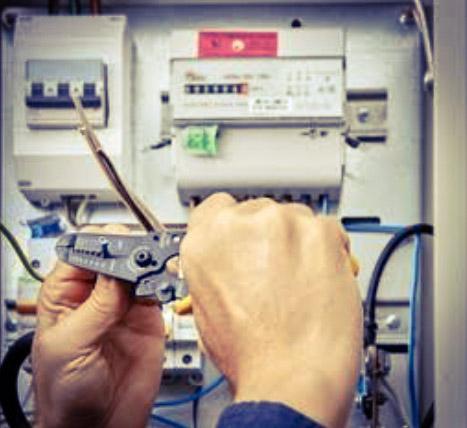
Before we proceed with the main discussion, let’s take a little time to look at the causes of error 77 on a prepaid meter. Some of the possible reasons why your prepaid meter may display error 77 on its screen are listed below:
- Communication issues between the CIU and the meter
- Faulty or malfunctioning meter hardware
- Incorrect token entry
- The battery of the meter is low
- Mismatch between the token serial number and the meter’s physical number
How to Fix Error 77 on Prepaid Meter
In this section, we’re going to x-ray different measures that you can use to fix error 77 on your prepaid meter since they are fixable. The methods that you can use to fix it are:
1. Plug your CIU into a Reliable Socket that is Close to the Meter
The first step you should take to fix error 77 on your prepaid meter is to plug the meter into a socket with a suitable power supply. This is important since the primary cost of error 77 on a prepaid meter is usually connection issues with the UIU and the meter itself. So, once you connect the CIU into a reliable power source that is close to the meter, the error 77 will disappear, especially if it was due to a connection problem between the meter and the UIU.
2. Reset your Meter
Another step that you can take to fix error 77 on your prepaid meter is to reset your prepaid meter. To reset your prepaid meter, do this:
- Switch off all the appliances that are connected to the meter.
- Turn off the main switch on your meter box.
- Now, wait for about 5-10 minutes to allow the meter to reset.
- At this point, turn the main switch back on and check if the error clears.
3. Inspect the Electrical Wiring in your Property
You can also fix error 77 on your prepaid meter by properly inspecting the wiring in your property. You should check if there are loose or damaged wires around your meter. And if you identify any loose wire, you can contact a certified electrician for assistance if you can’t handle it.
4. Review and Verify Your Token
Another troubleshooting measure that you can use to fix error 77 on your prepaid meter is by double-checking your prepaid meter token to ensure that you entered it correctly. If you noticed that you omitted or misplaced any number when loading the token into your meter, you can re-enter it again, but this time, be more careful to avoid making a mistake, and hopefully, the error message will clear if it was due to incorrect token entry.
5. Contact Your Electricity Provider
The last method on our list that you can use to fix the error 77 message on your meter is to reach out to your electricity provider if none of the above methods worked for you. What you should do is to contact your electricity provider’s customer service line and explain what happened to them. You should also provide them with the necessary details, like your meter number and the error message, if they ask for it. They will help you to resolve the issues remotely.
Conclusion
There are different reasons why your prepaid meter may display an error 77 message, such as connection problems, incorrect token entry, and faulty meter hardware, among others. The good thing is that error 77 on a prepaid meter can be fixed through different measures, like plugging your CIU into a reliable socket that is close to the meter, reviewing and verifying your token, resetting your meter, inspecting the electrical wiring in your property, etc. However, if you try all these measures and none of them work for you, don’t hesitate to contact your electricity provider for assistance.