
In Nigeria, Conlog prepaid meters are one of the popular prepaid meter brands that are used to manage electricity consumption in the country. However, like other electronic devices, a Conlog prepaid meter may develop a fault at a certain point in time, which may require resetting to restore it to default.
Although there are different measures that you can use to reset your Conlog prepaid meter, we are only going to focus on the reset code in this article. The code that you can use to reset your Conlog prepaid meter in Nigeria is “000” or “1234.” These codes are for factory and master reset, respectively. Additionally, if you are using a Conlog smart split meter in Nigeria, the code that you can use to reset it is #036#meter no. or #075#.
In the subsequent sections of our discussion, we are going to show you a step-by-step guide on how you can use this code to reset your meter and restore its functionalities. So, if you don’t know how to use this code, then you will need to go through this article to get the guide you desire.
What is Conlog Prepaid Meter Reset?
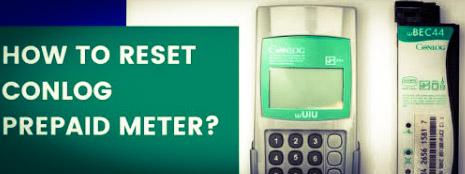
Resetting the prepaid meter means restoring the meter to default, especially if the meter is malfunctioning. Resetting a prepaid meter also helps the meter function optimally. There is a factory and master reset for a Conlog prepaid meter, depending on what you want to achieve. So if your meter is malfunctioning or you want it to function better, you can reset it. Once you reset a meter, it will be restored to default, making it assume the state of a new meter, which is definitely going to increase the meter’s performance.
When you Need to Reset your Conlog Prepaid Meter
There are different scenarios where you may need to reset your Conlog prepaid meter. Some of such scenarios are
- When your meter is displaying error codes, you may need to reset it to clear it
- If there is a prolonged power outage in your region, you may need to reset your meter to avoid voltage fluctuations
- If your meter is displaying a tamper code, you may also need to reset it to clear the code
- If your Conlog prepaid meter is blank, you can reset it to restore the functionalities of the meter.
Conlog Prepaid Meter Reset Code
The primary codes that you can use to reset your Conlog prepaid meter are ‘’000’’, ‘’1234’’, or #075#. These codes can be used to reset the prepaid meter, but their modes of resetting differ.
Conlog Prepaid Meter Factory Reset Code
If you want to reset your meter to default through factory settings, the code that you can use to do that is ‘’000’’. This code is important if you want to clear all the previous data on your meter to enable it to function optimally. However, if you have important data on your meter that you don’t erase, then you need to use an alternative code for master reset.
Once you use the Conlog prepaid meter factory reset code, you are going to clear all the data and configurations on your meter, and you can’t retrieve the data once cleared. So, this method is ideal if you don’t have any vital data on your meter. To use the Conlog prepaid meter factory reset code, follow the steps below:
- Locate your meter’s CIU and connect it to suitable power source
- Input ‘’000’’ into it
- After putting it in, click on the ‘’Enter’’ button and your meter will be restored
Conlog Prepaid Meter Master Reset Code
The master reset code that you can use to reset your Conlog prepaid meter is ‘’1234.’’ Unlike the factory reset code discussed above that clears all existing data and configuration, the master reset code only clears errors or glitches on the meter without interfering with the meter’s data and configuration.
However, if the fault on your meter is severe, this master reset code may not clear it. This means that the code is idle for clearing common and simple errors on the meter, and if you don’t want to clear your meter configuration, it is also best to go for this code. If you want to use this master reset code, do this:
- Plug your Conlog prepaid meter CIU to a reliable power source
- Press ‘’1234.’’
- Tap on the ‘’Enter’’ button and your meter will reset automatically.
Code for Resetting Conlog Smart Split Meter
If you are using a Conlog smart split meter, the code that you can use to reset it is #075# or #036#meter no. This code is ideal for resetting all kinds of Conlog smart split meters. If you want to use this code, all you need to do is
- Go to your meter customer interface unit
- Input #075# or #036# meter no.
- Once you’re done putting the code in, you should click on the enter tab, and it’ll reset on it.
Conclusion
The Conlog prepaid meter reset codes in Nigeria are ‘’000’’, ‘’1234’’, or #075#. These codes are for factory reset, master reset, and smart split meter reset, respectively. So, if you want to reset your meter and restore its functionalities, you can choose any of these codes that is most suitable for you and follow the steps that we outlined here to reset it. Once you reset your meter correctly, it will start functioning optimally.