
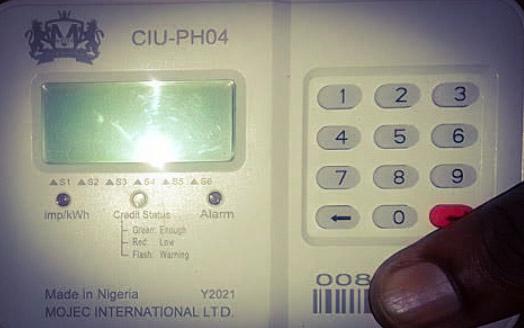
When your Mojec prepaid meter displays a failed message on its screen, it means that the meter is unable to execute some tasks successfully.
There are different reasons why your Mojec prepaid meter may display a failed message, such as wrong token entry, communication error, and faulty meter, among others.
The issues of Mojec prepaid meters showing failed can be resolved by entering your prepaid meter tokens correctly, power cycling the meter, etc. We are going to discuss these measures in detail as we continue with our discussion.
What is the Meaning of Failed Message on Mojec Prepaid Meter?
When your Mojec prepaid meter displays a failed message on its screen, it means that the meter is unable to execute certain tasks successfully. If your Mojec prepaid meter is unable to load tokens, activate services, check balance, etc., it is going to show failed at the end of the task, telling you that the task wasn’t executed successfully.
Why is my Mojec Prepaid Meter Showing Failed?
There are many reasons that may cause your Mojec prepaid meter to show a failed message. They are:
1. Wrong Token Entry
If you enter your prepaid token wrongly, it is going to display a failed message. Your Mojec prepaid meter can display this message when you omit or miss any digit when loading your prepaid meter token.
2. Communication Problem
This is another reason why your Mojec prepaid meter can display a failed message. When there is a communication issue between the meter and your electricity provider, the meter will show a failed message on its screen.
3. Outdated Token
Prepaid electricity tokens have an expiration date; when it expires, it becomes worthless. So, if you load an expired prepaid token into your Mojec prepaid meter, it is going to display a failed message because the meter won’t accept it since it is invalid.
4. Weak or low battery
If your Mojec prepaid meter’s battery is weak, it may also show a failed message since its memory retention capacity will be altered, leading to errors when the meter is executing tasks.
5. Faulty Meter
Finally, if your Mojec prepaid meter is faulty, it may also show a failed message on its screen. When the meter is faulty due to tampering or internal hardware issues, it may likely display the failed message showing its inability to successfully execute tasks.
Mojec Prepaid Meter Showing Failed; how to fix?
You can fix the problems of Mojec prepaid meters showing failed by taking any of these measures.
- Re-checking your prepaid token when loading to ensure that you don’t mix or omit any digit.
- Buy tokens from reliable sources and ensure that you load them before they expire.
- Check your meter thoroughly to ensure that it is not faulty.
- Power cycle your meter by restarting it. You can do that by switching it off for some minutes and turning it on again.
- Contact your electricity if the issue persists after trying these measures.
Conclusion
There are many reasons that may cause your Mojec prepaid meter to show a failed message, like incorrect token entry, communication issues, expired token, etc. However, these issues can be fixed by ensuring that you load your tokens correctly, restarting your meter, or contacting your provider when the issue persists.