
In our previous post, we discussed prepaid meter error codes, where we enumerated different error codes that you may encounter when using your prepaid meter. In today’s guide, we are going to take a closer look at how to fix errors on prepaid meters in Nigeria, where we are going to discuss different approaches that you can use to fix errors on your prepaid meters. Keep scrolling as we go through it together.
When using your prepaid meter, there are different errors that you are going to encounter, like E01, E02, E03, E04, etc. These errors can disrupt the functionality of your meter if they are not fixed.
There are different methods that you can use to fix errors on your prepaid meter, like resetting your meter, clearing tamper mode by contacting your electricity provider, and ensuring that your electrical connection is not loose, among others.
Is it Possible to Fix Errors on Prepaid Meters?
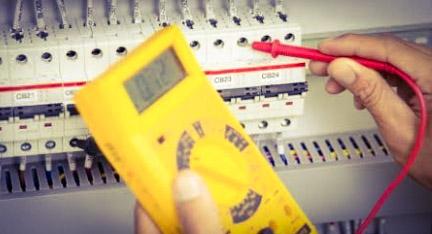
Yes, it is very possible to fix errors on prepaid meters. When your prepaid meter displays an error, it means that there is a problem somewhere, and once the problem is fixed, the error will clear. The good thing is that there are different ways that you can use to fix errors on your prepaid meter, but we are going to shed more light on it as we proceed with this discussion.
Some of the Common Prepaid Meter Errors
Before we proceed on how to fix an error on a prepaid meter, let’s briefly look at some of the common prepaid meter errors that your prepaid meter may encounter when using it. They are:
- Error 01: Meter not initialized
- Error 02: Meter not calibrated
- Error 03: Internal meter error
- Error 04: No voltage supply
- Error 07: Communication error between the meter and the WCIU
- Error 08: Wireless user interface error
- Error 09: Mismatch between the meter and WCIU
- Error 10: Software error
- Error 20: Remote disconnection activated.
How to Fix Error on Prepaid Meter
There are different measures that you can take to fix errors on your prepaid meter. They are:
1. Meter Reset
One of the methods that you can use to fix errors on your prepaid meter is to reset it. A meter reset can clear different errors on a prepaid meter, especially if they are minor errors.
Resetting a prepaid meter is not difficult, and you can reset yours by pressing and holding the reset button on your meter for a few seconds. Then you should check if the error has cleared. However, when resetting your meter, you should do it moderately to avoid factory reset. Because if you factory reset your meter, it will clear all the existing data and configuration on the meter.
2. Fix Tamper Mode Issues
If the error on your prepaid meter is displaying tamper mode, you will need to resolve it by contacting your utility provider. Your meter may enter tamper mode if it notices unauthorized access or tampering, and when this happens, you will need to contact your utility provider for them to help you fix it. If the tamper error mode is due to meter bypass, your electricity provider will require you to pay a certain fine before they can fix it for you, but if it was due to mistake, they will help you fix it without requesting any money.
3. Check Power Supply within your Area
Another common method that you can use to fix errors on your prepaid meter is by checking the power supply in your area. If there is fluctuation in power supply in your area or your circuit breaker is malfunctioning, your meter may display an error, and you can fix it by waiting for the power supply to return to normalcy. Once the power supply stabilizes, the error on your meter will decrease.
4. Verify Your Prepaid Token
If your meter displays a failed error when loading a token, then you should verify the token that you are loading to ensure that it is still valid since it has an expiration date. Additionally, when loading a prepaid meter token, ensure that you enter it correctly without missing or misplaing a digit, because if you do that, your meter will display an error, but once you load it correctly, the error will disappear and your meter will function optimally again.
5. Inspect your Meter’s Keypad and Electrical Connections Properly
You can also fix errors on a prepaid meter by ensuring that your meter’s keypad (CIU) is working properly and your electrical connection is intact. If you notice that the battery in your meter’s keypad is weak or your electrical connections are loose, the next thing that you should do is to buy a new battery for your keypad and hire the services of certified electricians to help you fix electrical connections.
Conclusion
There are many measures that you can use to fix errors on your prepaid meter, like resetting the meter, fixing loose electrical connections, and loading your prepaid tokens properly, among others. These methods are effective and can be used to fix different errors on the prepaid meter. If your meter is displaying an error, you can use any of these methods outlined in this article to get it fixed, and you will be happy that you did.