
In our previous post, we discussed the Mojec prepaid meter, where we detailed everything you need to know about the prepaid meter. Today, we are going to shift our attention to another interesting topic, which is how to recharge a MOJEC prepaid meter. So, if you have been looking for the simplest ways to get your prepaid meter recharged, then you are in the right place.
Recharging a MOJEC prepaid meter is not difficult because it only involves a few steps, just like other prepaid meter brands. However, before you can recharge your MOJEC prepaid meter, you will need to buy prepaid meter tokens first and then proceed to load it. We are going to give a detailed step-by-step guide on how you can do that. Keep tabs.
How to Recharge a MOJEC prepaid meter in nigeria
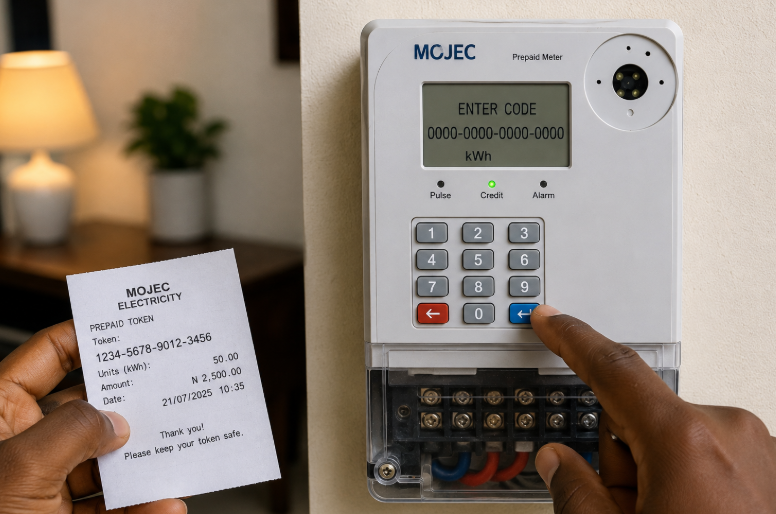
Recharging a MOJEC prepaid meter is not difficult; however, you will need to follow a few steps to get that done. The steps are given below:
1. Purchase a prepaid electricity token
The first step you will need to take when you want to recharge your MOJEC prepaid meter is to buy the prepaid electricity token.
You can buy the 20-digit prepaid tokens from reliable vendors like bank apps, POS agents, online vending platforms like VTUBase, etc.
2. Locate your MOJEC Prepaid Meter CIU
Once you purchase the prepaid meter token, the next thing is to locate your meter’s customer interface unit (CIU) and ensure that it is in good condition.
3. Connect the Ciu to a stable power source
Once you confirm that your meter’s CIU is in good condition, the next thing is to connect it to a suitable power source by plugging it into a socket. You can plug it into a wall socket or extension. However, ensure that your socket is not faulty.
4. Input your 20-digit Prepaid Token into the CIU
After connecting your CIU to a wall socket, you will then input your 20-digit token into the CIU. When loading the tokens, ensure that you input the tokens correctly. This is because if you omit or misplace any of the digits, the tokens won’t load successfully.
Meanwhile, if you input the codes correctly and the token isn’t loading, then you may need to check another socket or try loading it later because network issues may disrupt the successful loading.
5. Click on the Enter button
The last step you need to take when you want to recharge your prepaid meter is to click on the ‘’ENTER’’ button after inputting the codes correctly. Once you tap on the enter button, the token will be loaded automatically, and it will translate to credit units that are equal to the amount you recharged instantly.
Frequently Asked Questions
How do I recharge my Mojec meter?
You can recharge your MOJEC prepaid meter by purchasing prepaid tokens from a reliable vendor and inputting them into a CIU. After entering the code, you can then click on the “ENTER’’ button and it will translate to credit units instantly, and your light will be restored.
How do I load my token on my prepaid meter?
You can load a token into a prepaid meter by inputting the 20-digit unit tokens into the meter’s CIU and clicking on the ‘’ENTER’’ button.