
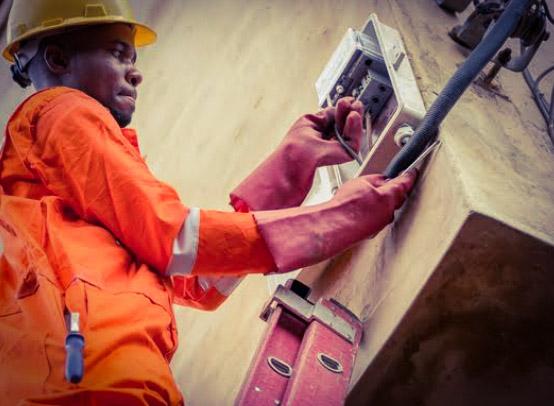
EEDC is one of the electricity distribution companies in Nigeria that provides electricity for people living in the south-eastern part of the country. Some electricity consumers in this region use prepaid meters to manage their energy usage. However, sometimes this meter may become faulty, thereby displaying a failed message on its screen.
When a prepaid meter show fails, it is always frustrating, especially when you need electricity to run your daily task. There are different reasons that may cause your EEDC prepaid meter to display a failed message, such as network communication problems, technical faults, inconsistent power supply, wrong meter configuration, etc.
However, these issues can be fixed through different measures, like ensuring that you load your prepaid tokens correctly, rebooting your meter, inspecting your meter to see if there are physical damages and fixing it, if any, among other measures.
Does it Mean That My EEDC Prepaid Meter Has Spoilt When It Shows Failed?
No, your prepaid meter has not spoilt when it shows fails. Your meter may show fail when it has minor faults, which can be fixed. The truth of the matter is that when your EEDC prepaid meter displays a fail message on its screen, it has not spoilt because it can still be fixed.
Will my EEDC Prepaid Meter Still Function Again After Displaying Failed Message?
Yes, your prepaid meter can still function optimally after it might have displayed a failed message on its screen. When your meter displays a failed message, the message only affects the functionality of the meter temporarily; hence, the meter returns to normalcy once the failed message is cleared.
Reasons Why your EEDC Prepaid Meter Maybe Showing Failed
There are many reasons that may cause your prepaid meter to display a failed message on its screen. Some of the reasons are outlined below:
1. Network Communication Problem
One of the common reasons that may cause your EEDC prepaid meter to display a failed message is communication issues between the meter and the electricity provider. Once there is a bridge in communication between your meter and the central metering system, your meter may likely display a failed message.
This issue normally occurs when there is poor network signal in your area, which may disrupt the electricity connection. It may also occur when the EEDC central server is temporarily shutdown.
2. Prepaid Token Problem
This is another issue that may cause your EEDC prepaid meter to display a failed message. If you make a mistake when entering your prepaid meter token, it won’t load, thereby displaying a failed message. This problem normally occurs if you load expired tokens, enter the tokens wrongly or misplaced or omit any digit when loading them. This means that if you make any mistake when loading the token, there are high chances that your meter may display a failed message, indicating that the token wasn’t loaded successfully.
3. Technical Faults
If your EEDC prepaid meter develops any fault, it may display a failed message on its screen. Prepaid meters can develop faults due to wear and tear that normally occur in their hardware. Whenever the meter is faulty, it won’t be able to process important information there by showing a failed message. The common prepaid meter technical fault can be due to the corruption of internal memory or manufacturing default.
4. Irregular Power Supply
When there are fluctuations in your power supply or a sudden hike in your voltage, it can affect the function of your meter temporarily. And within this period, your meter may likely display a failed message.
5. Wrong Meter Configuration
If your EEDC prepaid meter is configured wrongly, your account details may not match your prepaid meter token, which can lead to rejection, thereby making the meter display a failed message.
How to Fix EEDC Prepaid Meter Showing Failed
At this point, I believe you have known the possible reasons why your EEDC prepaid meter may be showing a failed message on its screen. If so, let’s now look at some of the measures that you can take to resolve the issues.
- When loading your prepaid meter token, ensure that you enter them correctly without making mistakes. You should also buy prepaid tokens from reliable vendors.
- Ensure that there is suitable power supply within your neighborhood, especially when loading your prepaid meter token
- Ensure that your electrical connection is not faulty. If you notice any damage, seek the services of professionals.
- You should power cycle your meter by turning the main switch off, waiting for some minutes, and turning it on again.
- The finally measure on our list that you can take to fix the issues of EEDC prepaid meters showing failed is to contact the EEDC support unit and they will assist you to fix it should it persist.
Conclusion
There are different reasons why your prepaid meter may display a failed message, like wrong configuration, irregular power supply, technical issues, etc. However, the issues can be fixed by entering your prepaid meter token correctly, ensuring that your electrical connection is not faulty, or by contacting the EEDC support unit for assistance when the issue persists.