

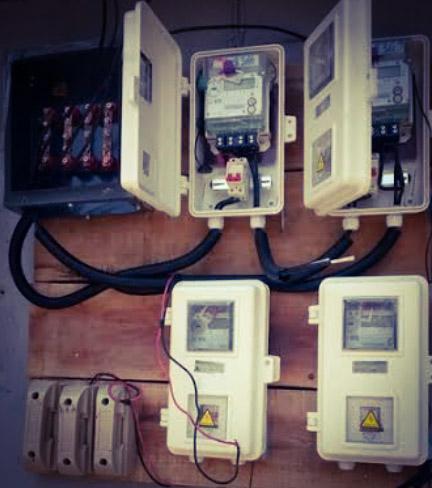
Restarting the prepaid meter will restore its functionality, thereby enabling you to use it to monitor and track your energy usage effectively. There are many reasons that may require restarting your meter, like a prolonged power outage, an error message on your meter, or a software update, among others.
The procedure that you can follow to restart your prepaid meter varies depending on your meter brand and model. However, in this comprehensive guide, we are going to show you general methods that you can use to restart your prepaid meter in Nigeria.
When you Need to Restart your Prepaid Meter
You can’t just wake up and start restarting your prepaid meter. Something must happen before you can start thinking of restarting your meter. Some of the scenarios where you may need to restart your prepaid meter are detailed below:
- When there is error code or message on your prepaid meter, you may need to restart it
- When there is prolonged power outage that might have disrupted your meter functionalities, you may also need to restart your prepaid meter
- When you update your meter’s software, you’ll also need to restart your meter to enable it to adopt the new update
- When your meter is malfunctioning, you may also need to restart it to restore its operation.
How to Restart my Prepaid Meter
In the previous section, we described some of the scenarios where you may need to restart your prepaid meter. Let’s now use this section to discuss the easiest ways that you can use to restart your prepaid meter when the need arises.
However, it is important to note that the method that you can use to restart a prepaid meter varies depending on the meter brand and its model. Nevertheless, we are going to outline the general method that you can use to restart your prepaid meter, irrespective of the type of meter you are using. The steps are detailed below:
- Locate the prepaid meter that you want to restart
- Switch off your power supply main switch.
- Now, press the reset button on your meter and wait for the meter to reset.
- Once it resets, recheck its display, and if you get it right, your meter will start functioning optimally again. That’s
N/B;
This step may vary slightly depending on your meter brand, but the steps may likely be close to the general methods that we outlined above. However, if your meter has a manual, you can check it for personalized steps on how you can restart it.
Conclusion
Restarting your prepaid meter is not difficult; you can do that by switching off your power supply’s main switch and rebotting it back by using the rebot button. Once you do this, you will be able to restart your meter. However, this process may vary slightly depending on your meter brand and model. For personalized steps, you can check your meter’s manual on how to restart your prepaid meter.